If you’ve moved to a new email address and want to keep receiving your Hebcal reminders, you don’t need to sign up from scratch. Hebcal lets you update the address on file for each subscription directly from a link in your existing emails.
The steps are slightly different depending on which type of subscription you have, so this article covers both:
- Weekly Shabbat candle-lighting time emails
- Yahrzeit, Hebrew Birthday & Anniversary reminder emails
Weekly Shabbat candle-lighting emails
If you receive a weekly email with Shabbat candle-lighting and Havdalah times for your city, here’s how to switch it to a new address:
- Open your favorite email program (Gmail, Microsoft Outlook, Apple Mail, or whichever app you use).
- Find a recent weekly email from Hebcal with your candle-lighting times (sent to your old email address).
- Scroll to the bottom of the message and look for the Update Settings link.
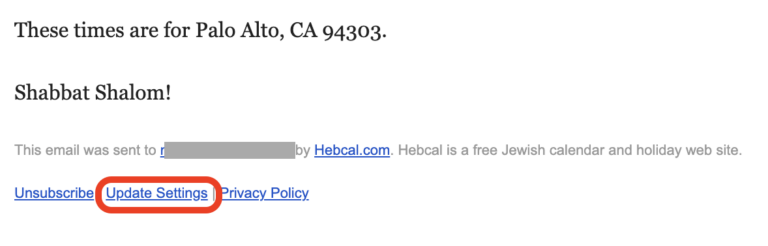
- Click that link. It will take you to hebcal.com.
- On the Hebcal site, enter your new email address and submit the form.
- Hebcal will send a confirmation message to your new email address.
- Open that confirmation message and click the activation link inside it.
- Once you click the link, your weekly candle-lighting subscription is officially updated to the new address, and the old address will stop receiving emails.
Yahrzeit, Hebrew Birthday & Anniversary emails
If you receive annual reminder emails for yahrzeits, Hebrew birthdays, or anniversaries, the process starts the same way but changes a bit:
- Open your email program and find a message from Hebcal about one of your yahrzeit, birthday, or anniversary reminders.
- Scroll to the bottom of the email and look for the Edit Yahrzeit, Edit Hebrew Birthday, or Edit Hebrew Anniversary link.
- Click that link to go to hebcal.com.
- Scroll up a bit and push the grey Email reminders button.
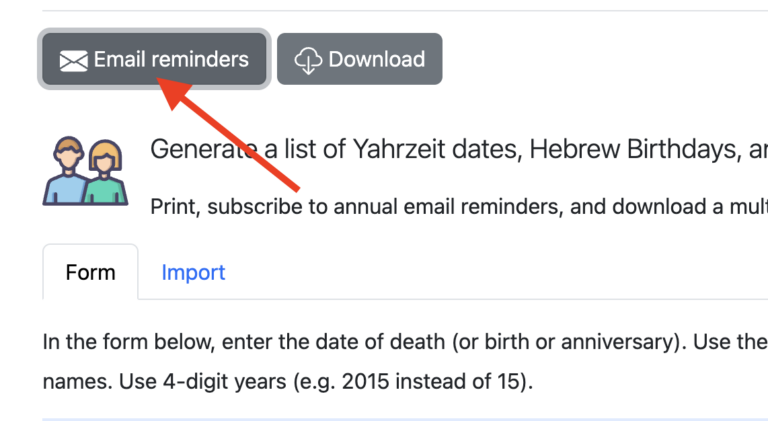
- Enter your new email address in the dialog box and push the blue Subscribe button to submit the form.
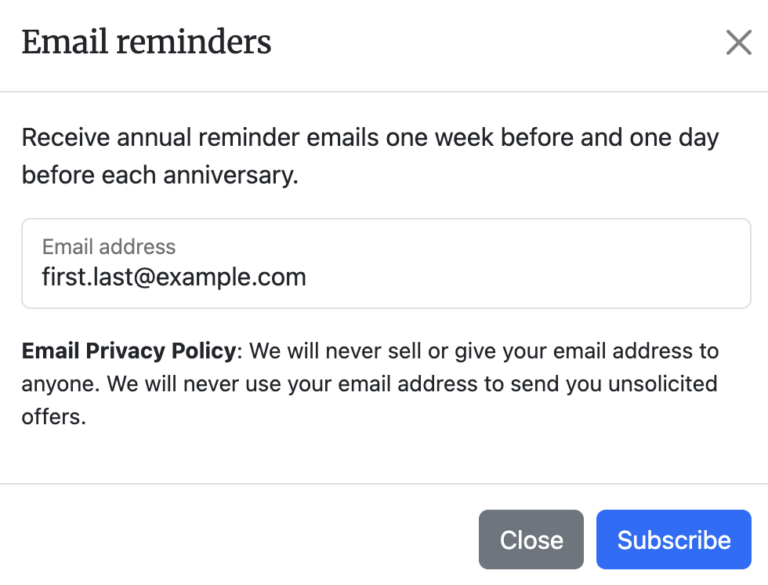
- Check your new email address for a confirmation message from Hebcal.
- Click the activation link inside that confirmation email.
- Your anniversary calendar reminders are now updated to send to the new address.
- To stop receiving reminder emails to your old address, back to your reminder email message and click the Unsubscribe button at the bottom of that message.
- You will see a web page that asks Do you wish to stop receiving annual email reminders of Person1’s Yahrzeit sent from Hebcal to recipient@example.com? push the blue Unsubscribe all (#) Yahrzeit Reminders button.
A few things to keep in mind
- The confirmation step matters: your subscription won’t move to the new address until you click the activation link in the confirmation email.
- If you have both a weekly Shabbat candle-lighting subscription and a yahrzeit/anniversary subscription, you’ll need to repeat this process separately for each one, since they’re managed independently.
- If you no longer see the confirmation email, check your spam or junk folder before trying again.