To unsubscribe from a perpetual Hebcal calendar feed in Google Calendar, you can follow the steps in Google’s Delete or unsubscribe from a calendar help article. Here is a brief summary:
- On your computer, open Google Calendar.
- In the top right, click Settings > Settings.
- In the left column, select the calendar you want to remove.
- Click Remove calendar.
- Click Unsubscribe.
- Click Remove calendar.
Here is a more detailed version with screenshots:
1. Open a web browser on your computer and navigate to https://calendar.google.com/
2. On the left-hand side of the page, find the Hebcal calendar you wish to remove under the Other calendars section
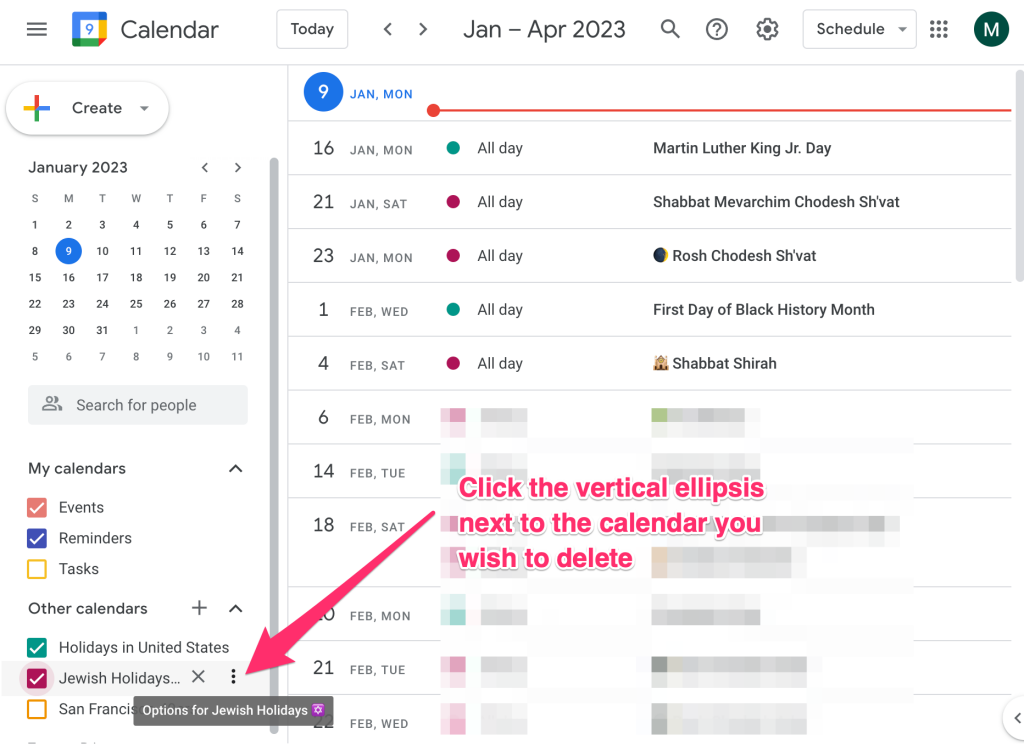
3. Click the vertical ellipsis (three dots) next to the calendar to bring up the context menu
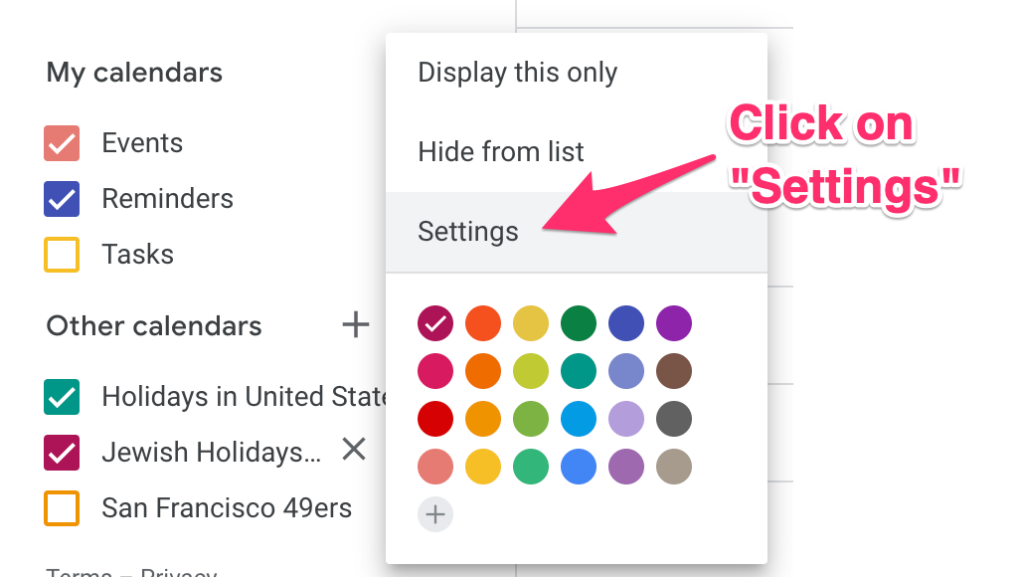
4. When the context menu pops up, click Settings
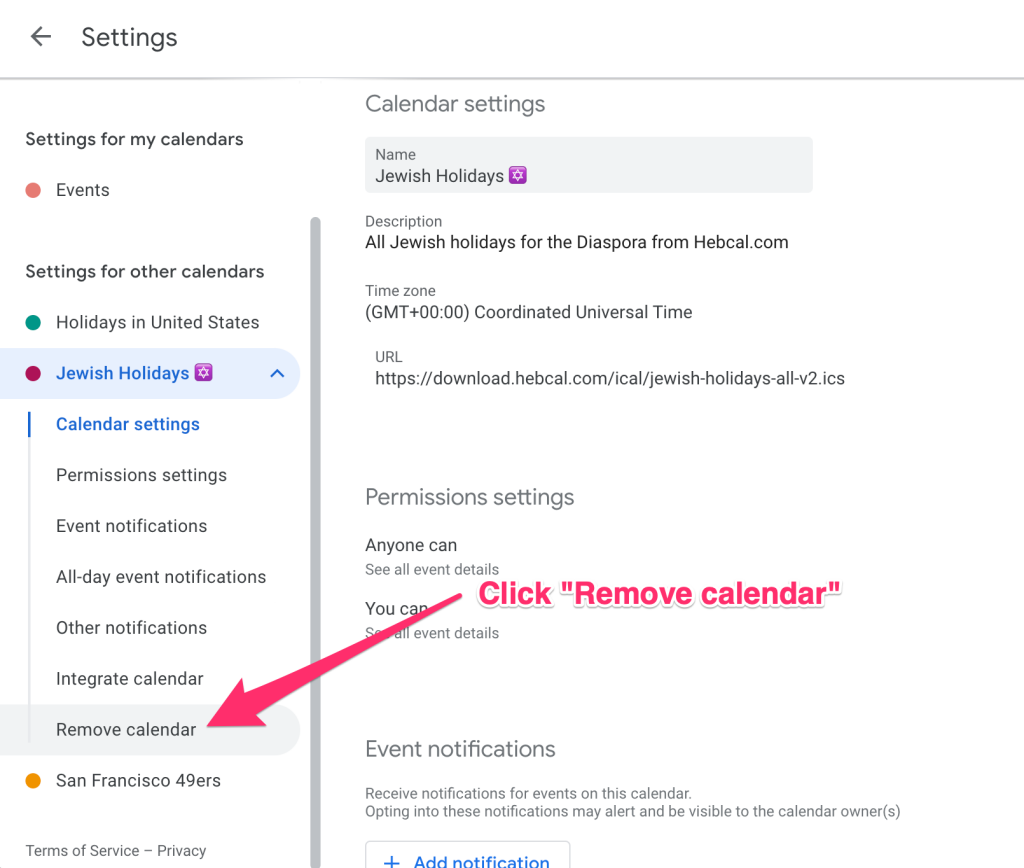
5. On the left-hand side, click Remove calendar
6. Click the Unsubscribe button
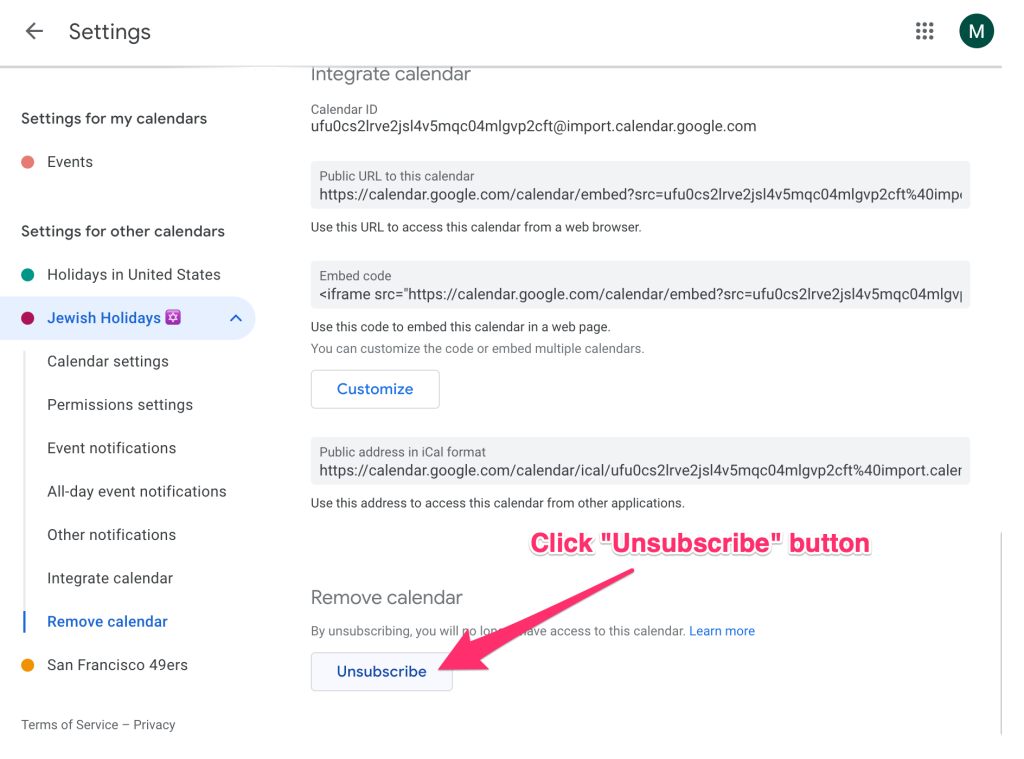
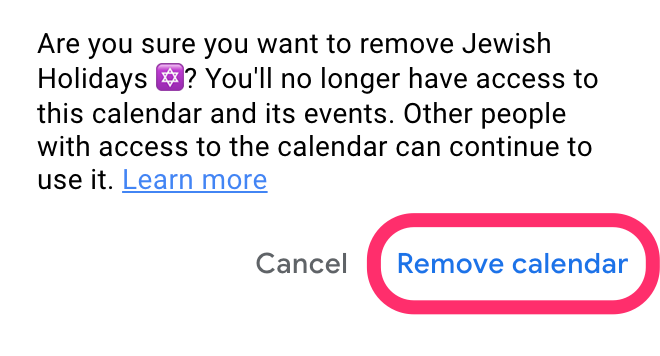
7. Click Remove calendar when prompted “Are you sure you want to remove Jewish Holidays ✡️? You’ll no longer have access to this calendar and its events.”