Hebcal is a volunteer labor of love because our mission is to increase awareness of Jewish holidays and to help Jews to be observant of the mitzvot. We’ve been hard at work this past year making Hebcal faster, more reliable and a more complete resource. Here is a summary of the changes we’ve made (major and minor) during the past 10 months.
1. Hebcal.com website
1.1 Sign in with Google or Apple
In September we added optional Sign in with Google and Sign in with Apple. Hebcal never asks for a password; we rely on Google or Apple to confirm who you are.
You don’t need an account to use Hebcal, and you never will. But signing in makes a few things easier:
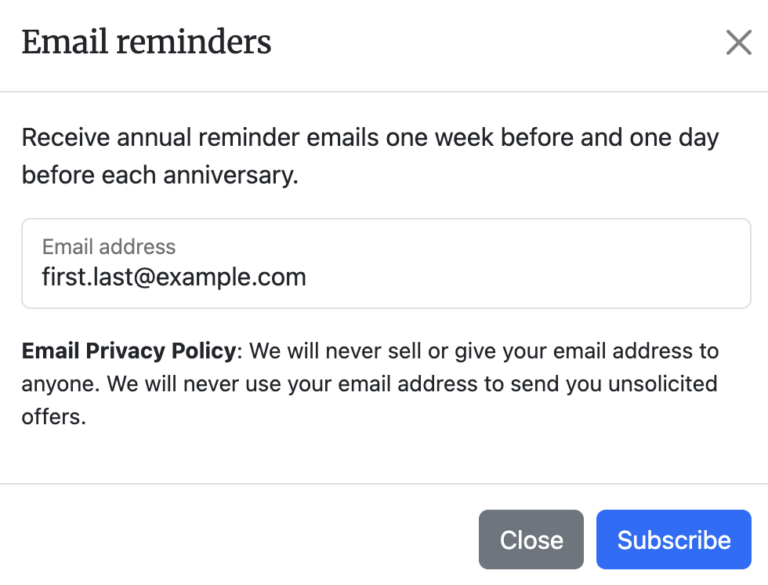
- No more confirmation emails. When you subscribe to weekly Shabbat candle-lighting emails or Yahrzeit reminders using the same email address as your Google or Apple account, your subscription is activated immediately, without the usual “click the link in this message” step.
- All of your subscriptions in one place. The new Account page lists your Shabbat candle-lighting subscription and each of your Yahrzeit, Hebrew Birthday and Anniversary calendars, with links to edit or unsubscribe.
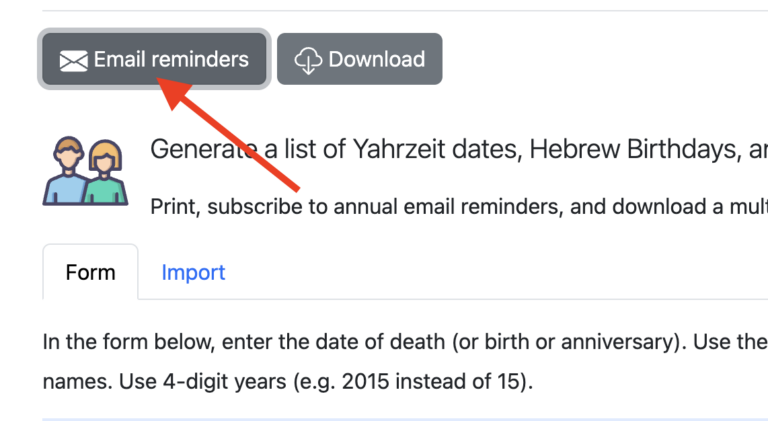
- One-click save for Yahrzeit calendars. When you’re signed in, the Email reminders button on the Yahrzeit + Anniversary Calendar page saves your list and turns on reminders in a single step. Your most recently updated calendars are shown at the top of the page.
Existing subscribers don’t need to do anything. Subscriptions are still tied to your email address, so if you sign in with the same address, your existing subscriptions will show up on your Account page automatically.
If you use Apple’s Hide My Email feature, your reminders are sent to your private relay address and Apple forwards them to you.
1.2 Holidays and observance
Swords of Iron War Memorial Day
We added Israel’s new Swords of Iron War Memorial Day, the memorial day for the fallen of the war that began on October 7, 2023. It is observed on 24 Tishrei (postponed to Sunday when that date falls on Shabbat), and it appears on both the Israel and Diaspora calendars when Modern Holidays are enabled.
Candle-lighting in Israel
The default candle-lighting time for cities in Israel is now 20 minutes before sunset, up from 18 minutes, which better matches the common custom in Israel. Jerusalem (40 minutes) and Haifa and Zikhron Ya’akov (30 minutes) keep their local customs.
Havdalah by degrees
You can now choose Havdalah time by degrees below the horizon instead of a fixed number of minutes after sunset. Look for the new field in the Candle-lighting & Fast times section of the custom calendar page and on the Shabbat times page. Use 7.083° for three medium-sized stars, 8.5° for three small stars (our default), or 16.1° for Rabbeinu Tam. Weekly Shabbat email subscriptions remember the setting too. Thanks to the Hebcal user who suggested this on GitHub.
Chametz times for Erev Pesach
Erev Pesach now includes the times for finish eating chametz and Biur Chametz (burning the chametz) when you’ve chosen a location. When Erev Pesach falls on Shabbat, Biur Chametz moves to Friday morning, as it is practiced.
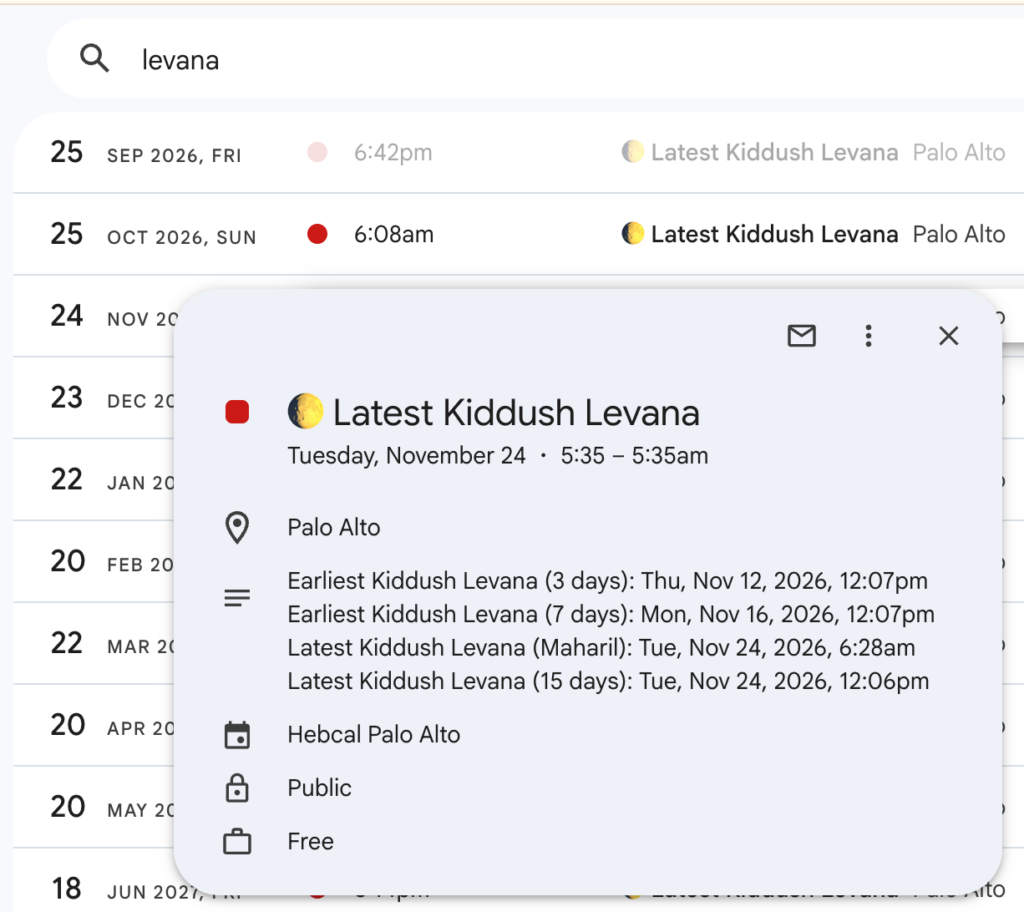
Latest Kiddush Levana
Calendars with candle-lighting times and Rosh Chodesh now include a monthly Latest Kiddush Levana event, calculated for your location. We use the Maharil’s opinion (halfway between moladot). If the deadline falls during the day, we move it back to dawn (alot hashachar) that morning, and if it falls on Shabbat or Yom Tov, we move it back to candle-lighting time. When we move the time, the event description now says so, for example: Latest Kiddush Levana (Maharil): Tue, Nov 24, 2026, 6:28am (adjusted to 5:37am Alot haShachar). The description also lists the earliest times (3 and 7 days after the molad) and the latest time after 15 days, so you can follow whichever opinion your community does.
Our Zmanim iCalendar feed also gained the earliest and latest Kiddush Levana times, plus the moment of the molad, on the days they occur.
To prevent Latest Kiddush Levana events from appearing on your calendar, set your Havdalah preference to 0 minutes past sundown (which disables both Havdalah times and Latest Kiddush Levana) or uncheck the Rosh Chodesh option.
Sefirat HaOmer
The Omer count pages now include the corresponding word of Ana BeKoach and the word and letter of Lamnatzeach (Psalm 67) for each night of the Omer. On larger screens there’s also a new navigation grid to jump to any day of the Omer.
Homepage candle-lighting times
If you’ve looked up Shabbat times for your city before, the Hebcal homepage now shows this week’s candle-lighting and Havdalah times for your location at the top of the page, following your preferred minutes or degrees.
1.3 Torah readings
- Haftarot of Admonition and Consolation. Parsha pages and calendar event descriptions now label the three Haftarot of Admonition (before Tish’a B’Av) and the seven Haftarot of Consolation (after), for example “Fifth Haftarah of Consolation”. This includes the rare case where Ki Teitzei combines the 3rd and 5th.
- Chabad custom. When the Chabad custom calls for a different Haftarah, the parsha pages now show it, along with the reason.
- Yom HaAtzma’ut. We added the Torah reading and Haftarah (Isaiah 10:32-12:6, the same as Pesach VIII) used by communities that read on Yom HaAtzma’ut.
- Kohelet in Israel. When Sukkot falls on Shabbat, Israeli communities read Ecclesiastes on the first day of Sukkot. We now get this right.
- Hebrew parsha summaries. Hebrew-language RSS feeds and calendar downloads now carry Hebrew summaries of each parsha (courtesy of Sefaria) and Hebrew holiday descriptions, instead of English.
1.4 Daily Learning calendars
We added four new study cycles to our daily learning calendars this year:
929: Tanakh B’yachad is a synchronized chapter-a-day reading program, named after the 929 chapters of the Hebrew Bible. Participants read one chapter a day, five days a week, completing the entire Tanakh in about three and a half years. Each event links to the chapter on Sefaria.
Amud HaYomi (Dirshu) covers one amud (one side of a page) of the Babylonian Talmud each day, a slower pace than Daf Yomi that completes Shas in about five years.
Daf HaYomi B’Halacha (Dirshu) follows Dirshu’s daily Mishnah Berurah program.
Tanya Yomi is the daily study of the Tanya by Rabbi Schneur Zalman of Liadi, completing all five parts every year from 19 Kislev through 18 Kislev. It has separate divisions for leap years and regular years. You’ll find it in a new Chasidut section on the Daily Learning page.
Each of these is also available as a ready-made calendar subscription on our Daily Learning page. We also improved Tanakh Yomi so each day shows its verse range, and fixed sedarim that cross from one book to the next.
1.5 Localization
- We added Dutch translations, following Dutch Wikipedia conventions for transliteration.
- French translations now cover the Shabbat times page.
- The Ashkenazi transliterations were reworked with more consistent rules for vowels and consonants (for example, Ta’anis B’choros and Shabbos M’vorchim), and now cover the zmanim.
- Hebrew spellings and niqqud were corrected for several holidays and readings, including חֹל הַמּוֹעֵד and סֻכּוֹת.
- When you look up Shabbat times for a city outside the US, the page now uses that country’s preferred language where we have a translation.
1.6 Miscellaneous / UI and usability
Hebcal now remembers whether you prefer a Gregorian or a fully Hebrew calendar.
The Yahrzeit + Anniversary Calendar form is more compact, and subscribing to email reminders is a single click when we already know your address.
Pages load faster. Images use the WebP and AVIF formats, the most important styles are included directly in each page, and we removed about half of the unused CSS. Hebcal also has a new SVG icon that looks sharp in browser tabs and email inboxes.
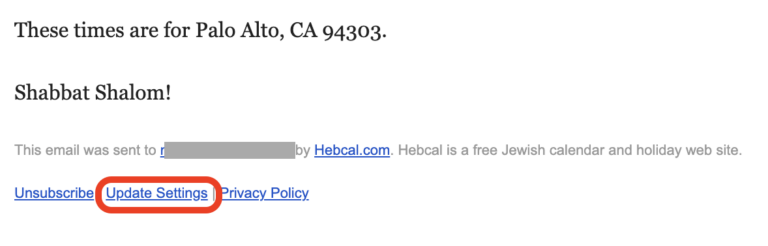
We updated our privacy policy. Email subscriber logs are now automatically deleted after 18 months.
We refreshed the descriptions of 34 holidays from Wikipedia.
2. Calendar downloads and subscriptions
To keep our servers responsive, we put some limits on very large or very distant calendars:
- Calendar subscriptions (Google Calendar, Apple Calendar, Outlook) are limited to 2,400 events. If a subscription would go over that limit, it now starts 12 weeks in the past and adds a note explaining why. See Number of years in calendar feed subscriptions for details. Yahrzeit + Anniversary subscriptions are limited to 1,200 events and no longer include events older than 13 weeks.
- Supported years. Torah portion pages, Omer pages and calendar downloads now cover Gregorian years 1752 through 2499 (Hebrew years 5513 through 6260). The Candle-lighting Times Year at a Glance covers the past 4 years and the next 20. The Hebrew Date Converter still works for any year.
- CSV files now always start with a UTF-8 byte order mark, so Microsoft Excel displays Hebrew and accented characters correctly.
3. User support now by email
We retired the Hebcal Community Support forum on UserEcho. If you have a question, a bug report or a feature request, please email support@hebcal.com. Many common questions are already answered in our Help section. A historical archive of community support messages has been migrated to Google Groups (email addresses and phone numbers redacted for privacy).
4. Hebcal for Apple Watch 2
This fall we released Hebcal for Apple Watch 2, the first major update to the watch app in five years. It’s available now from the Apple App Store.
- Sunset and candle-lighting times. Turn on Use Location in Settings and the Hebrew date rolls over at sunset instead of 8:00pm. Friday and holiday candle-lighting times, Havdalah and Chanukah candles then appear in the app and on the watch face. Tap a day to see the details on a Zmanim card. Your location stays on the watch and is used only for these calculations.
- The Omer. During the Omer, tap the day to see the count, the Sefirah, the word and letter of Psalm 67, and the Ana BeKoach words.
- A calendar you can browse. The app shows the next two weeks day by day, followed by Shabbatot and holidays for a full year, grouped by month.
The new version requires watchOS 10.6 or later. The complications were rebuilt on Apple’s newer WidgetKit, and the ones you already set up should carry over.
5. Developer web APIs
Developers are a small but important part of our audience, and we made a number of improvements this year.
API documentation. All of our REST APIs are now described in a single OpenAPI specification with an interactive Swagger UI page where you can try requests in your browser. The spec documents every parameter, its default value and the specific reasons a request can return 400 Bad Request. See also our Developer APIs overview.
AI agents and MCP. Our Model Context Protocol (MCP) server at https://www.hebcal.com/mcp is now listed in the official MCP Registry as io.github.hebcal/hebcal and has a new shabbat-times tool for candle-lighting and Havdalah times. To help AI agents find the right data instead of scraping HTML pages, we now publish /llms.txt, an RFC 9727 /.well-known/api-catalog, an MCP server card, and Markdown versions of the homepage for clients that send Accept: text/markdown.
New fields and options:
- The Jewish calendar REST API includes the exact instant of the molad, the Ana BeKoach and Lamnatzeach words for each night of the Omer, the Chabad Haftarah where it differs, and an optional Tachanun field.
- New parameters customize when fasts begin and end, in degrees or minutes:
fsd/fsmfor the start of minor fasts,fed/femfor the end of minor fasts, andtbed/tbemfor the end of Tish’a B’Av. Thetdparameter sets Havdalah by degrees below the horizon. - The Zmanim API adds zmanim according to the Baal HaTanya, and the molad and Kiddush Levana times.
- CORS preflight (
OPTIONS) requests are now supported, so browser-based apps can call the APIs directly.
Rate limits. API responses now include the IETF draft standard RateLimit-Policy and RateLimit headers, so your code can see the limits instead of discovering them the hard way. The limit is 150 requests per 10 seconds per client (60 requests per 3 seconds for the Hebrew Date Converter). If you go over, you’ll get 429 Too Many Requests with a Retry-After header. PDF and CSV calendar downloads can also return 429 during busy periods; please wait and try again.
Constraints to be aware of:
- Date-range requests to the Hebrew Date Converter and Zmanim APIs are limited to 180 days per request.
- Calendars are limited to 10 years per request.
- Undocumented FullCalendar output for Yahrzeit calendars was removed.
Several of these APIs (the Hebrew Date Converter, Zmanim, Shabbat JSON, city autocomplete and PDF downloads) moved to a new, much faster backend written in Go. The URLs and output formats didn’t change. If you notice any difference, please let us know.