Shana Tova! We wish you a happy and healthy New Year. Rosh Hashana 5784 begins at sundown on Friday, September 15.
Here is a summary of some changes we’ve made to Hebcal (major and minor) during the past Hebrew year (5783).
Holidays
Added Chag HaBanot / חַג הַבָּנוֹת, a North African Jewish women’s holiday occurring on the 1st day of Rosh Chodesh Tevet.
Added five modern Israeli holidays recognized by the Knesset (Family Day, Yitzhak Rabin Memorial Day, Ben-Gurion Day, Herzl Day, Jabotinsky Day).
Added infrequent holidays Purim Meshulash and Birkat HaChama (previously announced in Tishrei 5783 updates).
Shabbat & holiday candle-lighting times
Default candle-lighting offset for Haifa and Zichron Yaakov is 30 minutes.
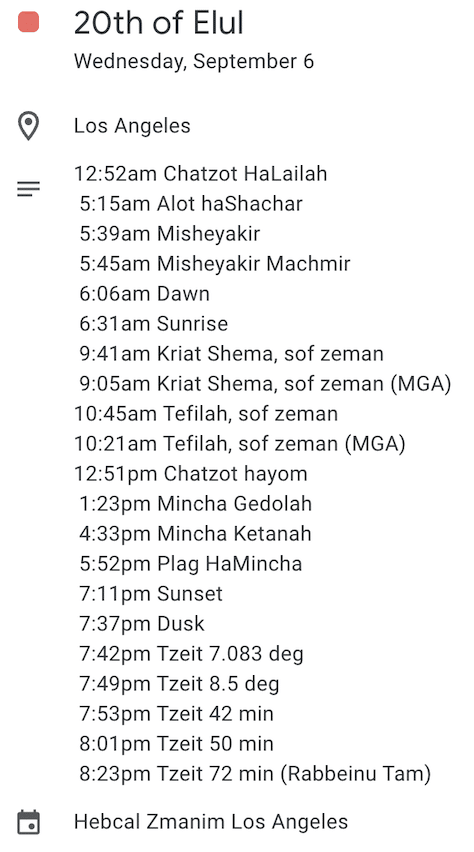
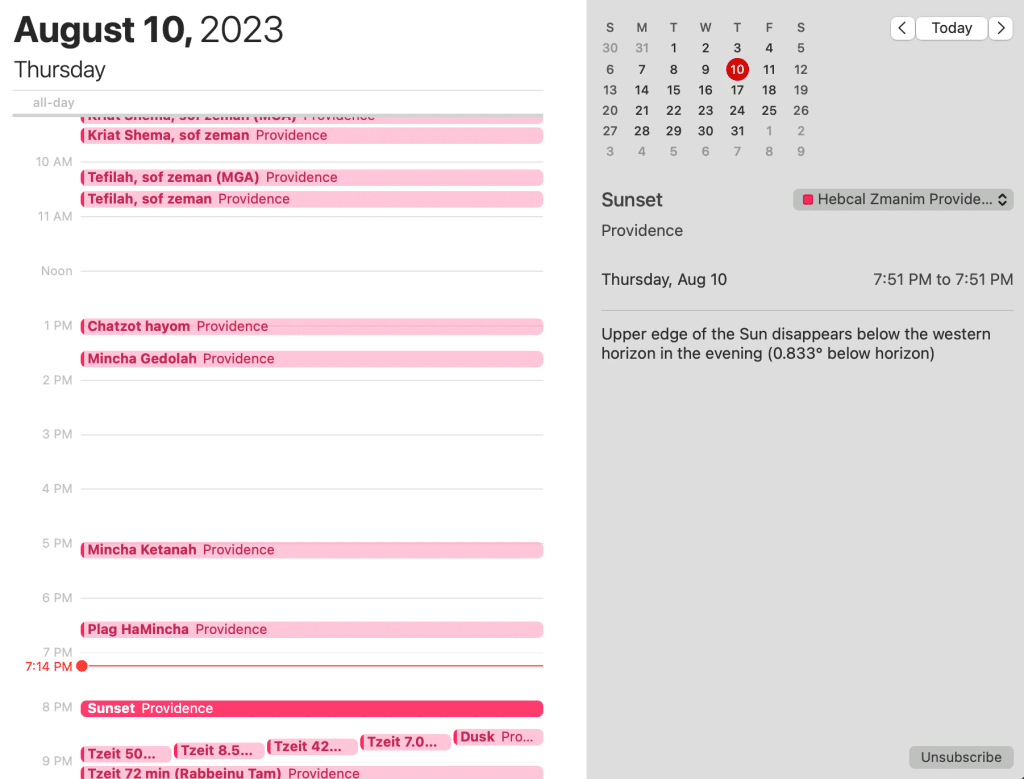
We added an Zmanim (halachic times) iCalendar feed for Apple, Google, Microsoft Outlook and any calendar app that supports the iCalendar (.ICS file extension) standard.
Hebrew Date Converter
Improved support for dates before the Common Era (B.C.E.), for example Gregorian year 0 is now interpreted as 1 BCE. Warning! Results for year 1752 C.E. and earlier may be inaccurate. Hebcal does not take into account a correction of ten days that was introduced by Pope Gregory XIII known as the Gregorian Reformation. [1]
On devices with a keyboard, Hebrew Date Converter can be navigated using left-arrow and right-arrow keyboard shortcuts to decrement and increment by a single day.
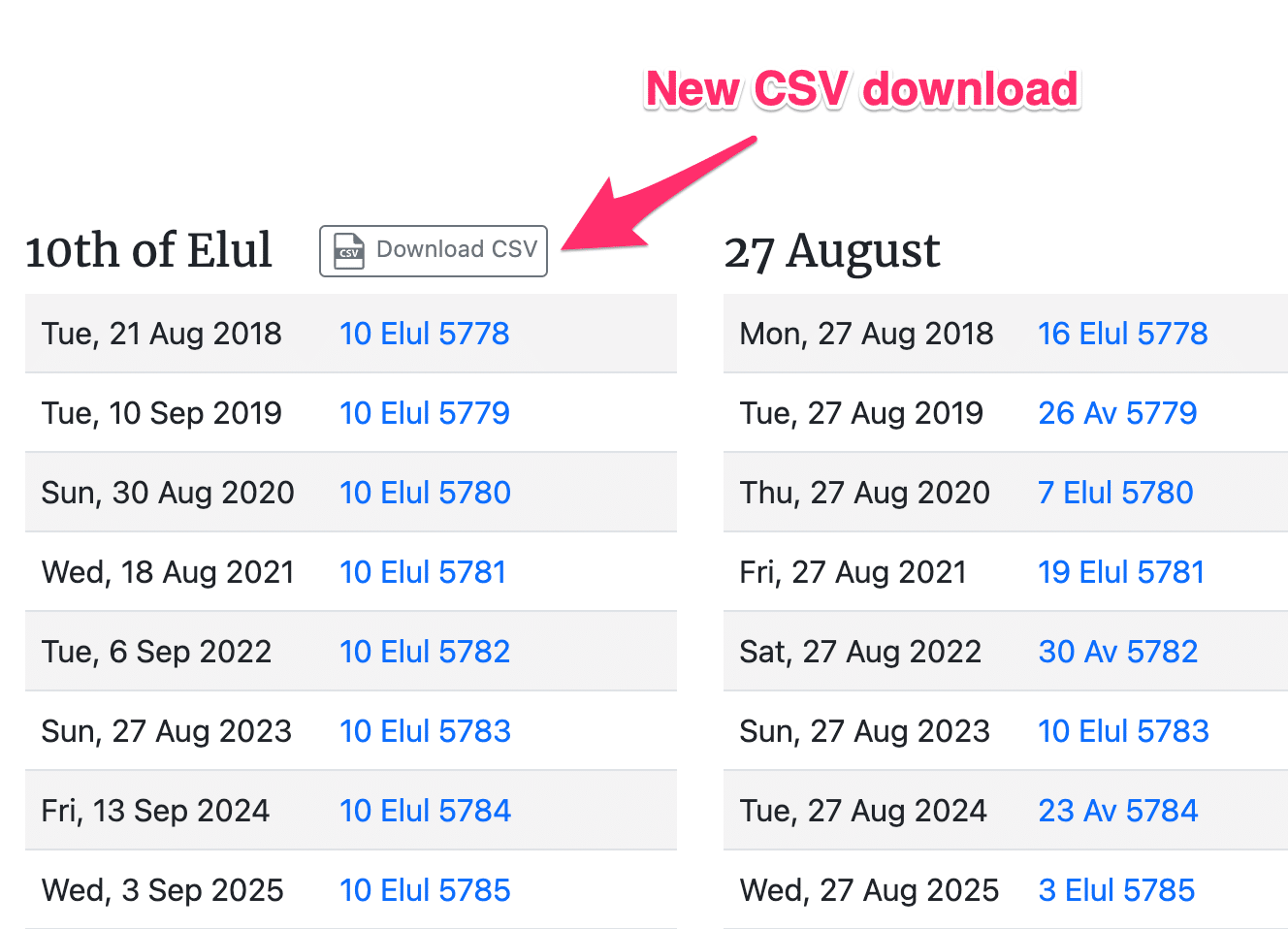
In addition to converting a single date, the Hebrew Date Converter now displays tables of dates 50 years into the future (in both Gregorian and Hebrew flavors). Hebrew dates can be downloaded as an 80-year CSV file.
Yahrzeits, Birthdays and Anniversaries
Added a Bulk Upload / Import for Yahrzeit + Anniversary calendar using CSV files.
Yahrzeit calendar reminders to light a candle are now the day before at 4:30pm local time (or 8pm on Saturday night).
Added a new personal anniversary calendar event type “Other” which follows the “birthday” rules and displays the event name without a yearly anniversary number (such as “Example Text” instead of “Example Text’s 53rd Hebrew Anniversary”)
Daily Learning
We’ve added several new daily (and weekly) learning calendars to study traditional texts. These include:
- Nach Yomi – daily regimen of learning the books of Nevi’im (Prophets) and Ketuvim (Writings)
- Yerushalmi Yomi (Jeruslem Talmud) – daily regimen of learning the Jerusalem Talmud. Using the Vilna edition, the Yerushalmi Daf Yomi program takes 4¼ years to complete. The Schottenstein edition of Yerushalmi Daf Yomi uses different page numbers than the Vilna and takes 5¾ years to complete
- Rambam (Mishneh Torah) – daily learning program that divides Maimonides’ Mishneh Torah legal code into daily units (one chapter per day), to complete the whole work in three years
- Tehillim (Psalms) – daily study of a few chapters from the 150-chapter book of Psalms (Tehillim)
- Sefer Chofetz Chaim and Shemirat HaLashon – Daily study of two texts the Sefer Chofetz Chaim, which deal with the Jewish ethics and laws of speech
- Daf-a-Week (Daf Shvuii) – learning program that covers a page of the Babylonian Talmud a week. By going at a slower pace, it facilitates greater mastery and retention
Torah Readings
Ashkenaz transliteration of תַזְרִיעַ as Tazria (not Sazria)
Added a Masorti triennial Torah Reading schedule for Israel. Although there is no formally specified triennial cycle for the Masorti movement in Israel, Hebcal began publishing a draft schedule in May 2023.
Leyning Errata
When Parashat Re’eh is read on Erev Rosh Chodesh, read the regular 3rd Haftarah of consolation (not special Haftarah for Machar Chodesh)
When Parashat Ki Teitzei occurs on 14 Elul (i.e. the preceding Parashat Re’eh occurred 2 weeks prior on Shabbat Rosh Chodesh), we read extra both the 5th and 3rd Haftarah of consolation.
Because Shabbat Re’eh was Rosh Ḥodesh, the usual 3rd haftarah of consolation was not read. Chant the haftarah of Ki tetse and then the haftarah of Re’eh as a single haftarah. In the book of Isaiah these two brief passages are adjacent
Source: Luaḥ Hashanah, Rabbi Miles B. Cohen and Leslie Rubin
Ta’anit Bekhorim (Nisan 14) is a private fast day, not a public fast day. So the Exod. 32:11-14, 34:1-10 reading for public fast days is not read on that day — not at Shaharit and not at Minhah.
Display the correct leyning for Pesach Chol ha-Moed Day 2 on Sunday
Only display 3 (not 5) aliyot on Erev Simchat Torah
Miscellaneous
Support Dark Mode (white text on a black background) for a better viewing experience in low-light environments